🎓 Bonus Exercise – Advanced Techniques for Smarter RAGs
🪄 This is a free-form, bonus exercise. There's no "correct" outcome — only deeper exploration.
You've already built a powerful testing assistant. Now it's time to experiment with advanced Retrieval-Augmented Generation (RAG) strategies and Dify-specific features that make your assistant more intelligent, focused, and useful for testers.
Release baseline: This bonus exercise targets Dify 1.16.1 while preserving the 1.9.1 Parameter Extractor, Question Classifier, Iteration, If/Else, retrieval, and prompt-template scope.
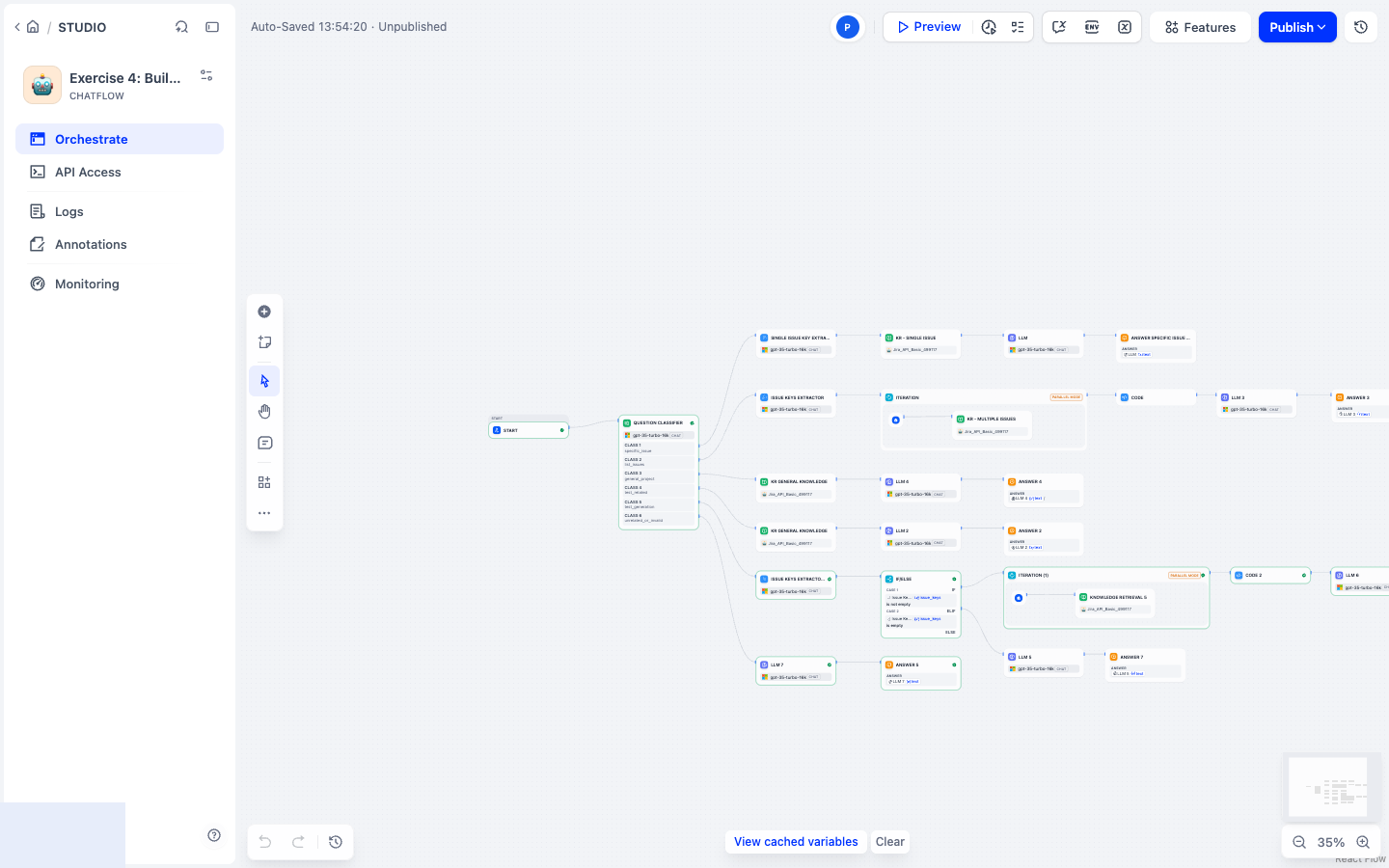
- Name the extractor output
issue_keyseverywhere; a singular/plural mismatch leaves the Iteration input empty. - Inside Iteration, retrieve with the current
item, not the original multi-issue query. - Add
issue_key is {{iteration.item}}to the test-generation retriever so each Gherkin scenario is grounded in the correct issue. - Dify 1.16.1 may expose Iteration results as a flat object list. The supplied Code nodes accept both flat and legacy nested lists before combining answers.
- Both Iterations remove abnormal outputs so one failed item does not discard every successful issue result.
🧠 Why Go Beyond the Basics?
While standard RAG systems retrieve documents and pass them to a language model, real-world software testing questions require:
- Better focus on relevant information
- More structured reasoning for complex queries
- Dynamic adaptation to different types of questions
This is where combining advanced RAG strategies with Dify blocks unlocks the next level.

🧪 Part 1 – Advanced RAG Techniques
These are conceptual strategies used in many RAG systems that help with retrieval quality, context relevance, and multi-turn generation.
🪜 1. Parent–Child Retrieval
Why it matters: You often need related items together: a parent epic with child issues, or a test suite with all cases. This improves reasoning and coverage.
 How to use it:
- Structure your documents with parent-child metadata (e.g.,
epic_id,test_suite) - Filter in Dify's knowledge retriever by metadata field to retrieve children or a whole group

🧹 2. Query Rewriting
Why it matters: Many queries are vague or poorly phrased. Rewriting improves retrieval and LLM generation.
How to use it:- Use a classifier or prompt node to detect vague queries
- Add system prompts that reformulate the query with more context before retrieval
🔁 3. Iterative or Multi-Query Retrieval
Why it matters: If a query references multiple issues or modules, each subquery deserves its own chunk of context.
How to use it:- Split queries using a Parameter Extractor
- Loop over values with the Iteration node
- Combine or format answers at the end
🎯 4. Retrieval Filtering and Chunk Design
Why it matters: Filtering based on metadata avoids off-topic results. Chunking well ensures completeness without verbosity.
How to use it:- During ingestion, assign metadata like
component,priority, ortype - Use metadata filters in the Retrieval node
- Experiment with different chunk sizes: smaller for bugs, bigger for concepts
⚙️ Part 2 – Powerful Dify Blocks to Boost Your Chatbot
These are not RAG strategies per se, but Dify capabilities that improve your assistant's intelligence and control.
📚 1. Parameter Extractor
Extracts structured data (like issue keys, module names, or dates) from user queries. Ideal for filtering or branching logic.

🧠 2. Question Classifier
Classifies user intent (e.g., test generation vs. documentation lookup). Each category can follow a different chatflow.
Try categories like:specific_issuelist_issuesgeneral_projecttest_relatedtest_generationunrelated

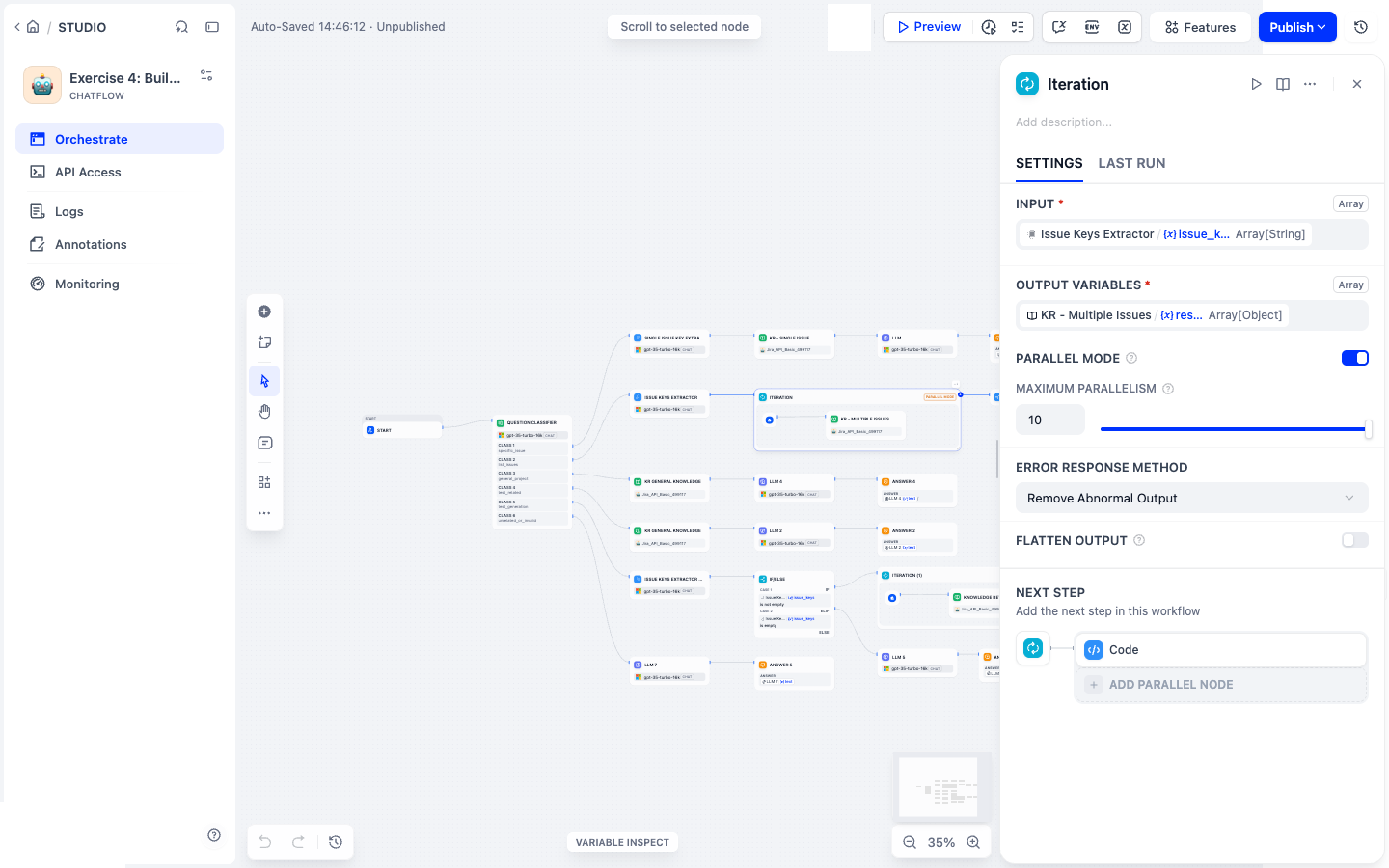
🔁 3. Iteration changed
Use it to generate a loop over multiple issues. Great for:
- "Generate test cases for REST-201, REST-202, REST-203"
- "Summarize these five bugs"

For both Iteration nodes, set the error response method to Remove Abnormal Output. Each loop currently returns one object, so the Iteration already emits a flat object list and Flatten Output stays off. Enable it only if you change the loop to return an array per issue. The final output can contain fewer items than the input array, so downstream Code nodes must omit failed items and produce a clear response when no valid item remains.
⚖️ 4. If/Else Routing
Adds logic to your flow:
- If
issue_keyexists → go to filtered retrieval - If query is
unrelated→ reply with a fallback message

🧰 5. Prompt Templates
Use specialized prompts depending on user intent. For example:
- System prompt for test generation (
You are a Gherkin generator...) - System prompt for architecture questions (
You are a system design assistant...)
🧪 Bonus Challenges changed
Let's revisit our question classifier. It identifies 6 types of queries. Try customizing each path using the above techniques:
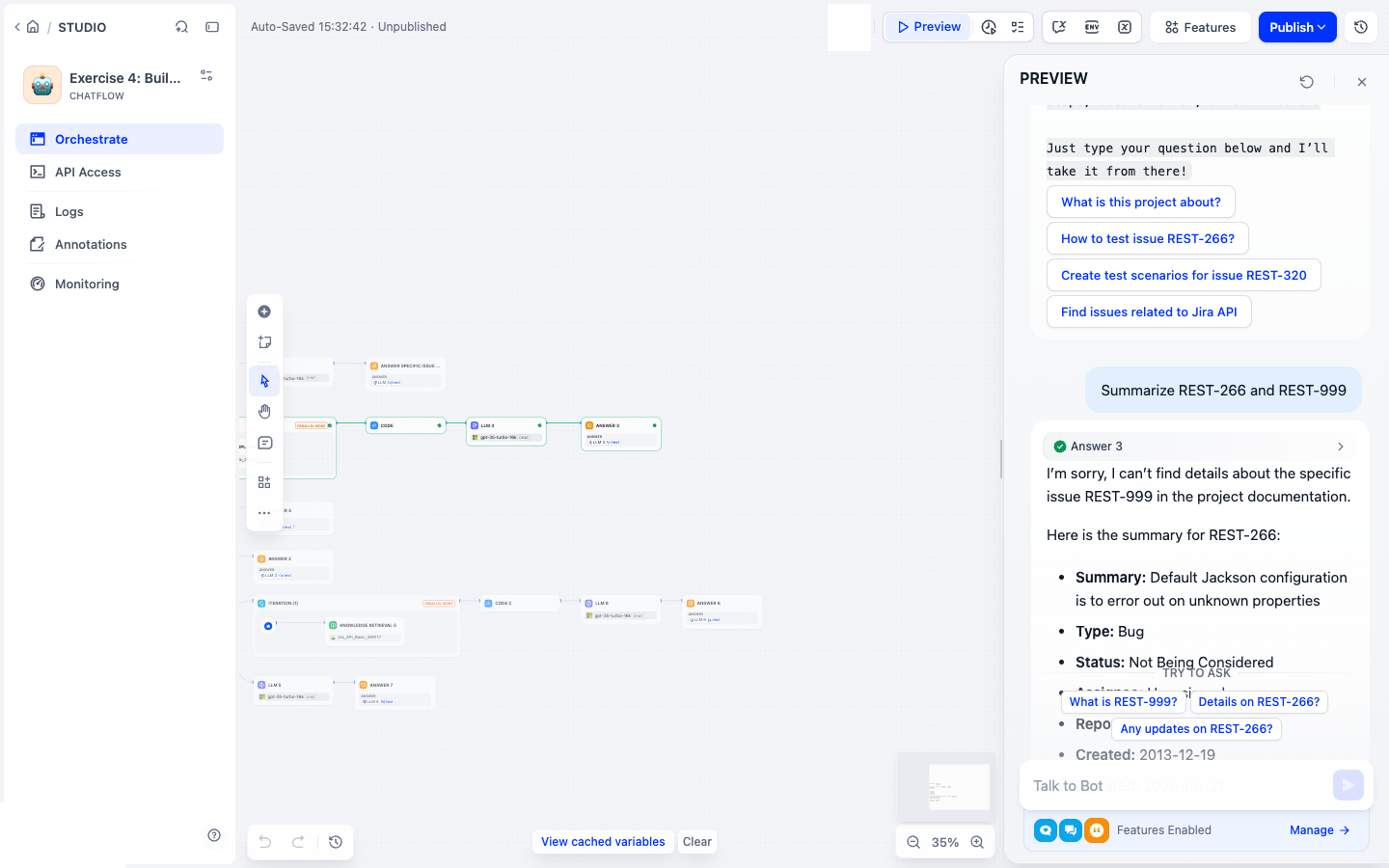
The supplied 1.16.1 workflow was executed through the four acceptance paths below. Use these results to compare your own routing, retrieval, and answer grounding.
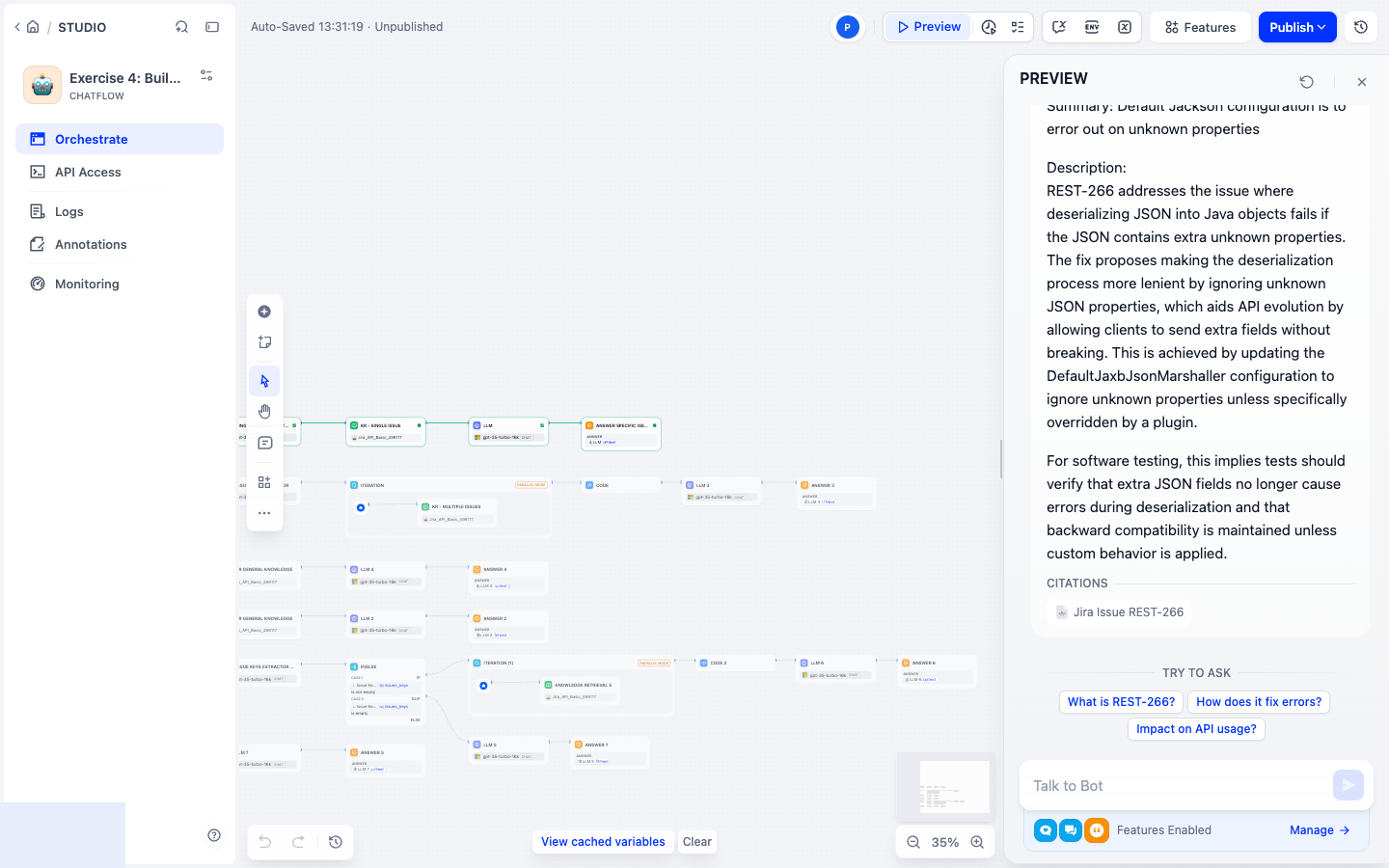
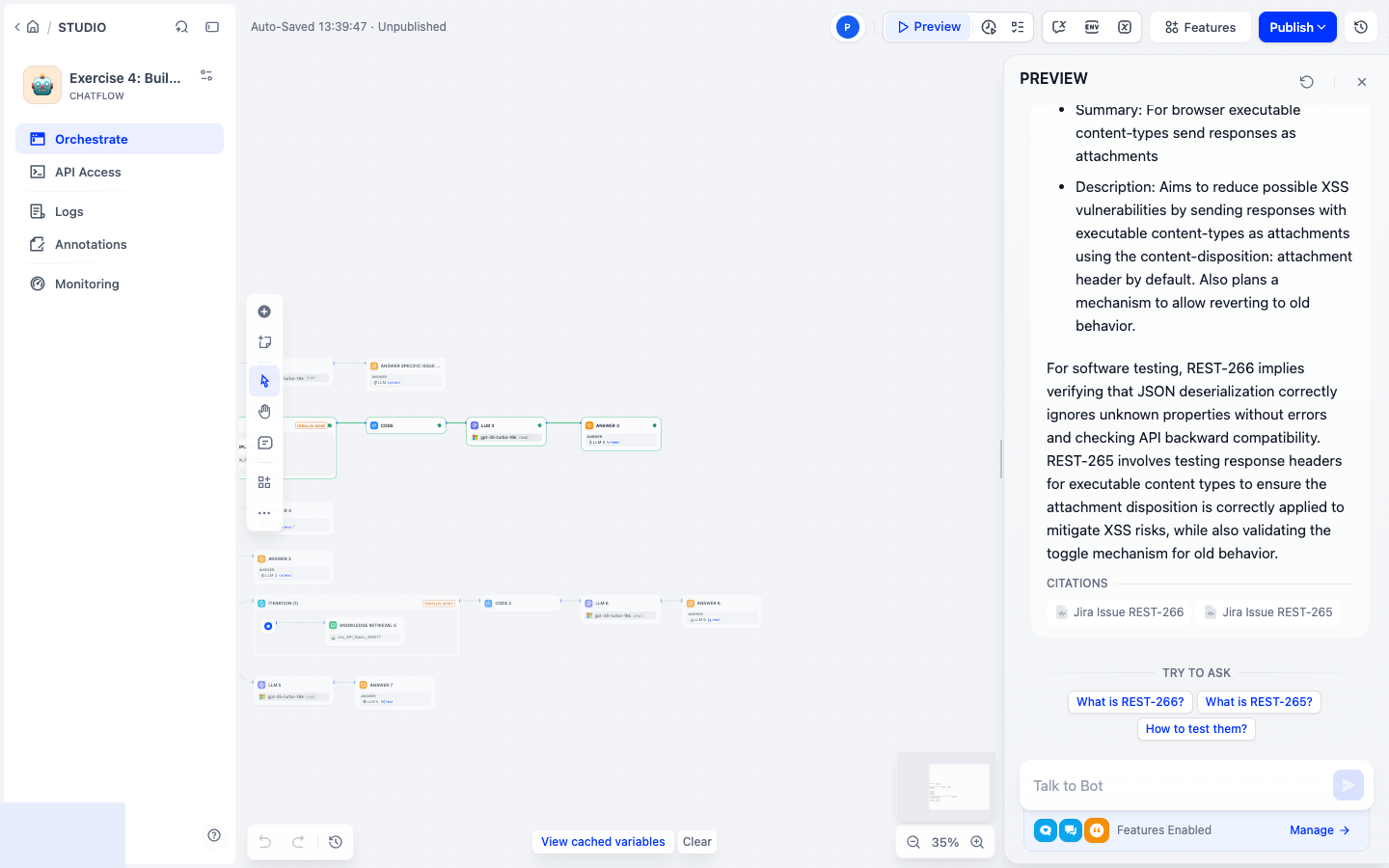
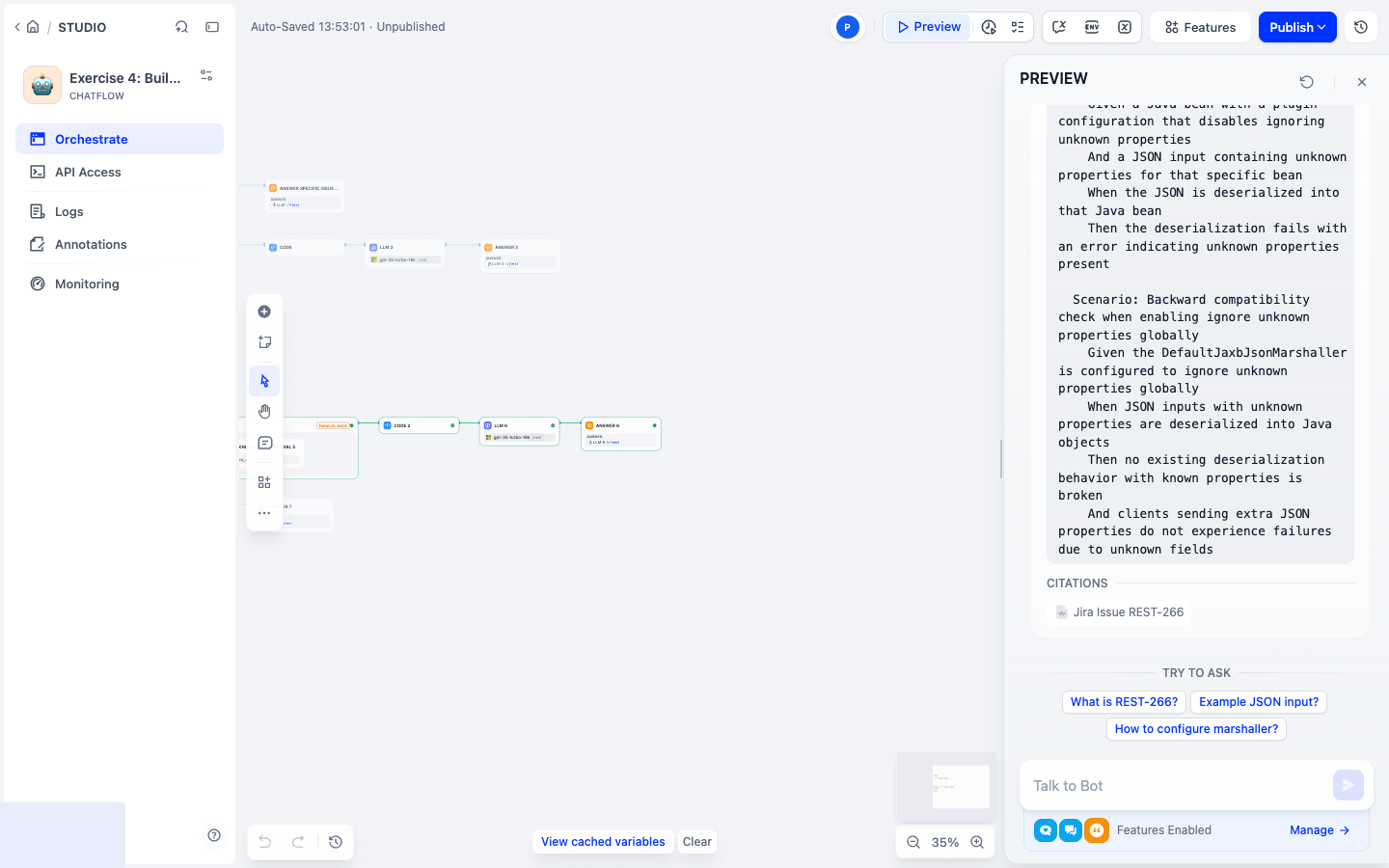
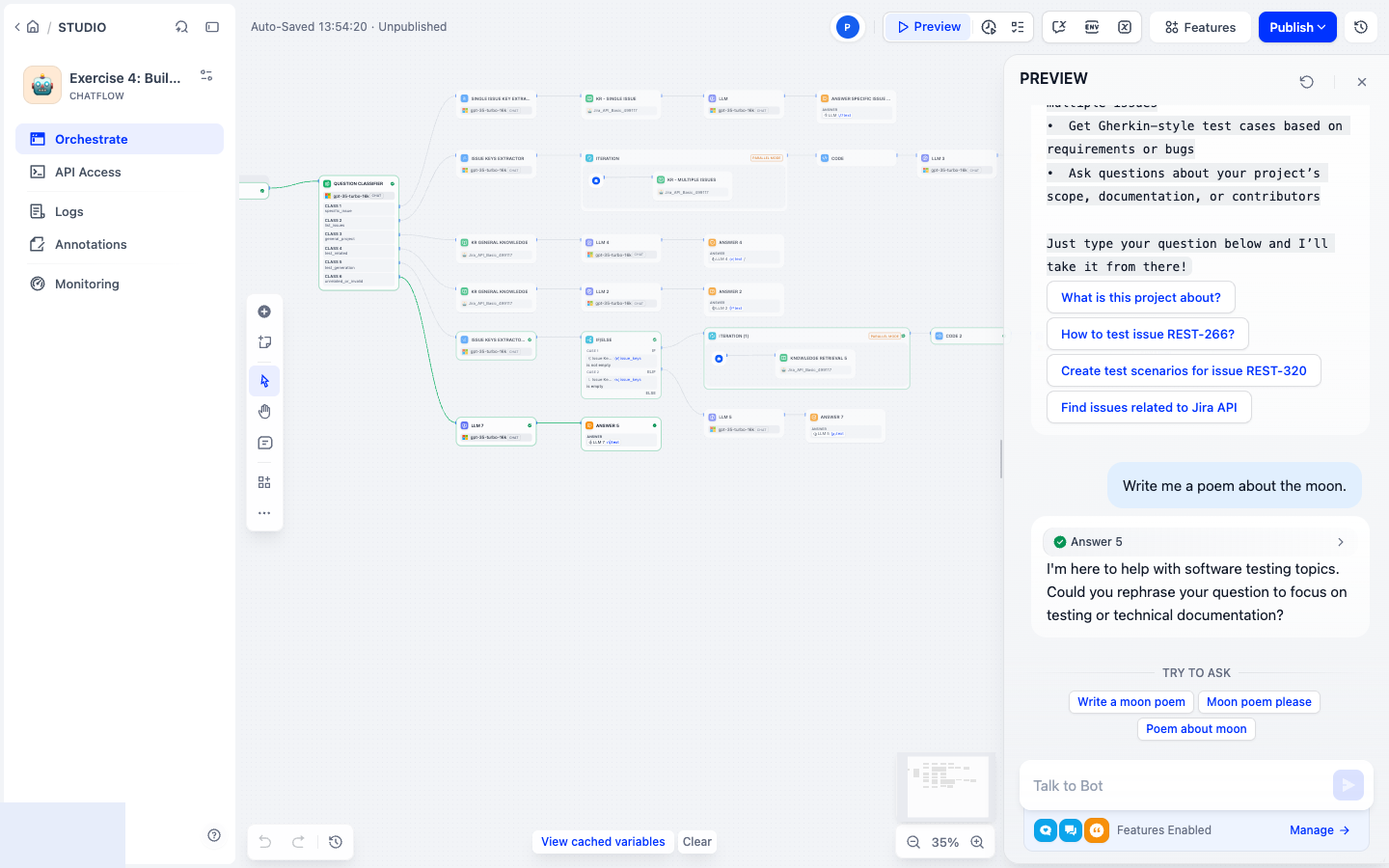
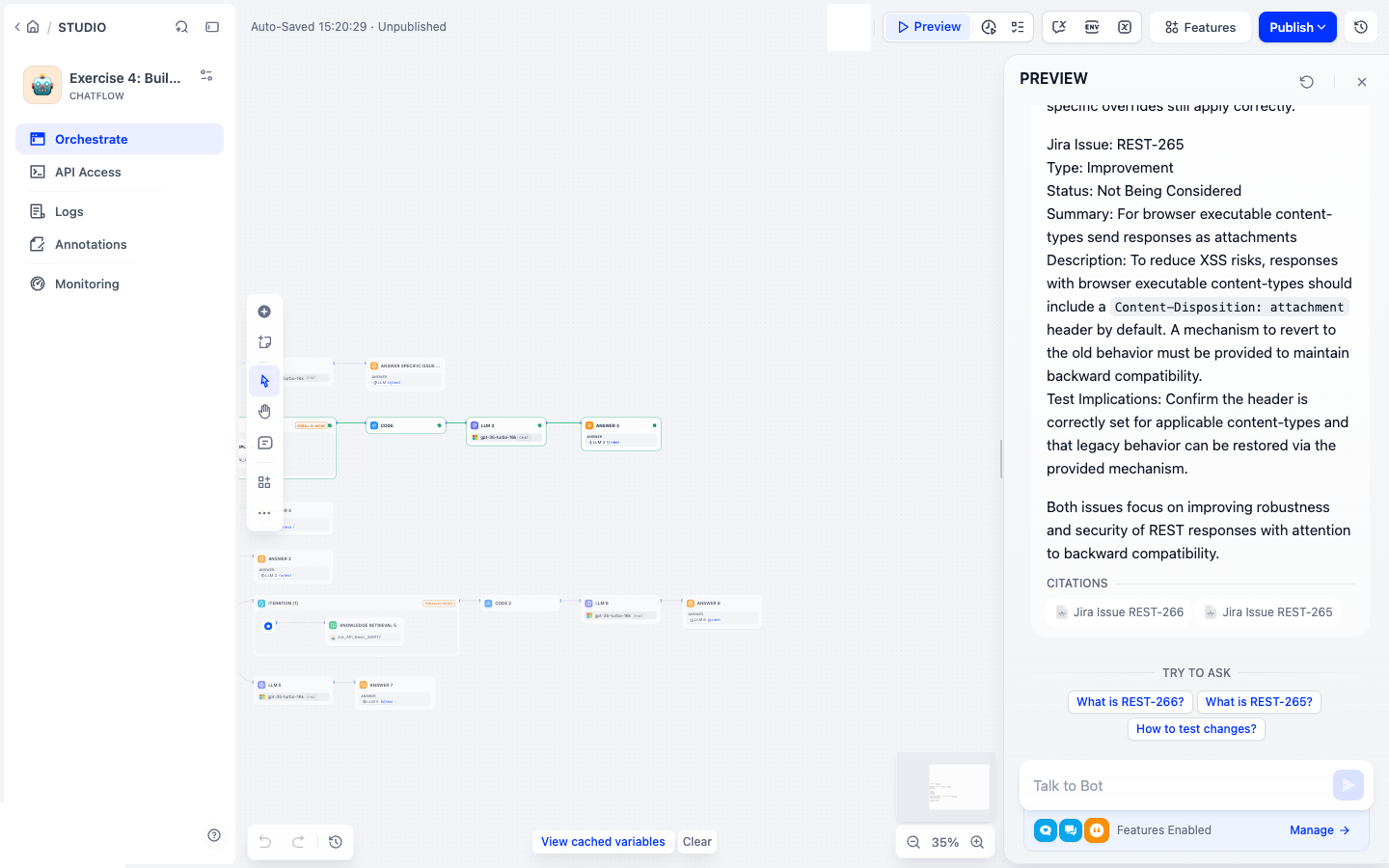
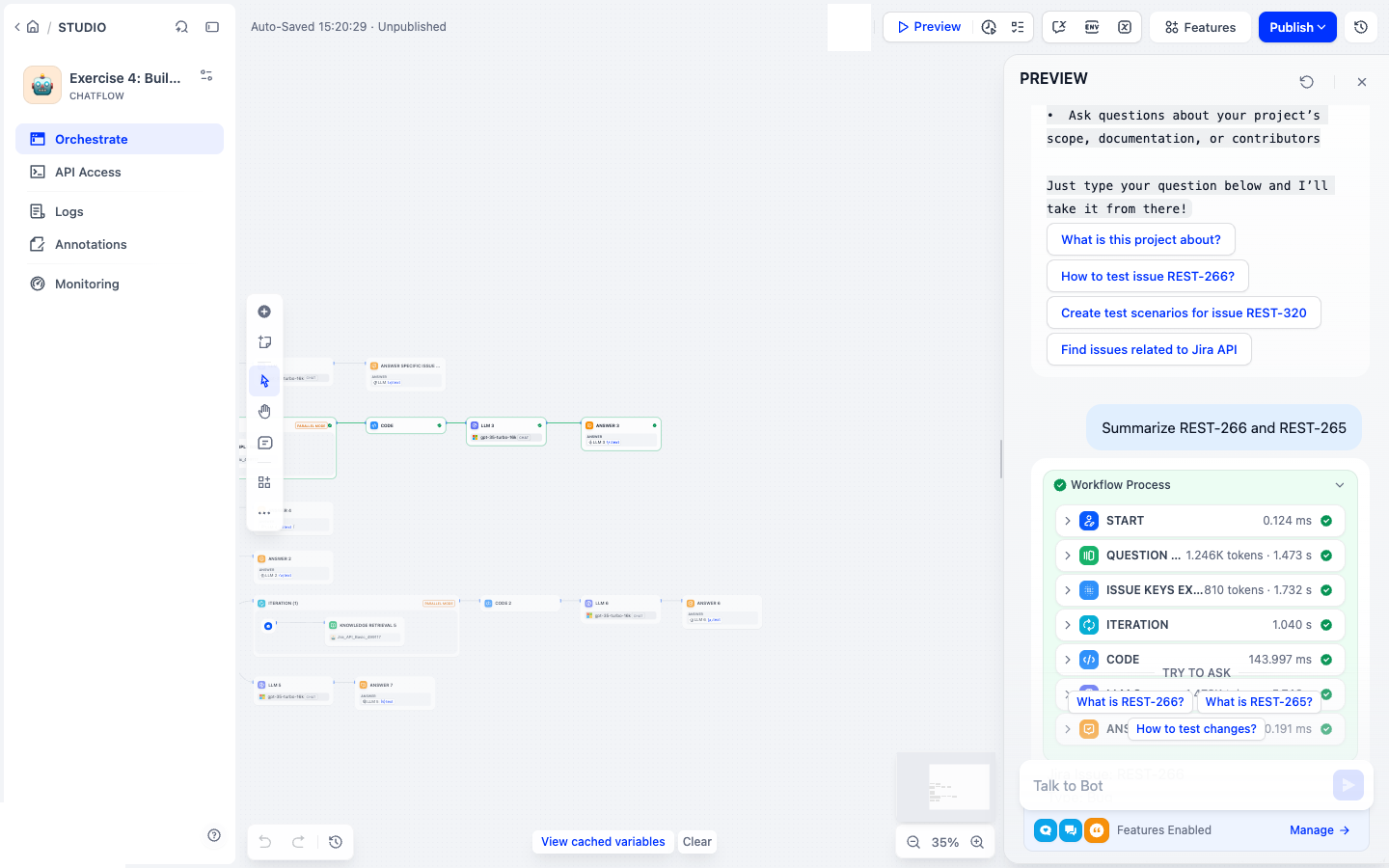
The two-item run should retain one independently grounded result per issue and citations for both sources. Because abnormal outputs are removed, also make the final combiner state when fewer issues completed than were requested; never silently claim full batch success.
Try Summarize REST-266 and REST-999. The supplied combiner compares the
extracted keys with the retrieved context, reports that REST-999 was not found, and
still returns the grounded REST-266 result.
| Category | Try This... |
|---|---|
specific_issue | Parameter extractor → filtered retriever by issue_key |
list_issues | Parameter extractor → iteration over each → summarize or generate |
general_project | Dedicated retriever + LLM focused on project scope |
test_related | Retrieval filtering by type = test_strategy or tuned prompt |
test_generation | Custom prompt + single or iterative test generation |
unrelated | Route to fallback LLM with polite redirect message |
🔭 Modern Capabilities Evaluated new
| Capability available after 1.9.1 | Workshop decision | Why |
|---|---|---|
| Summary Index | Adopt in Exercise 2.1 | Improves conceptual risk/test retrieval and can be measured against the same Jira benchmark |
| Knowledge tracing and app versions | Adopt in Exercise 3 | Makes grounding diagnosable and accepted drafts recoverable |
| Iteration error strategy and batch status | Adopt here | Preserves successful issue results and reports partial or empty batches explicitly |
| Schedule/webhook triggers | Defer | Current ingestion is not idempotent and does not observe terminal indexing |
| Human Input | Defer | Read-only Q&A has no meaningful approval boundary; it would add queue and timeout complexity |
| Multimodal knowledge | Defer | The Jira fixture contains no answer-critical images |
| Agent application | Separate workshop | It changes the architecture and tool-execution threat model rather than improving this deterministic RAG goal |
Newer is not automatically better. The core assistant remains a Chatflow because exact Jira filtering, measurable retrieval, citations, and predictable no-match behavior are the learning objective.
🗂️ Download: Preconfigured Bonus Chatflow changed
You can download a ready-made version of this bonus exercise, including a fully configured Dify chatflow with:
- Question classifier
- Iteration for multi-issue generation
- Metadata-based filters
- Specialized prompts per query type
⬇️ Download Exercise 4 Sample
💡 Import this YAML file into Dify and start tweaking!
Required after import: dataset IDs belong to the Dify workspace that
exported the sample. Open KR - Single Issue,
both KR General Knowledge nodes, KR - Multiple Issues, and
Knowledge Retrieval 5; reselect your own
Jira_API_Basic_* knowledge base in every node before running the
flow. Confirm the manual issue_key filters remain attached to the
exact-key retrieval nodes.
🌟 Wrap-up
If you've made it here, congratulations — you're ready to take Testus Patronus to the next level! Explore, experiment, and summon the full potential of AI-powered software testing.